

Generating Product Shots with Transparent Backgrounds
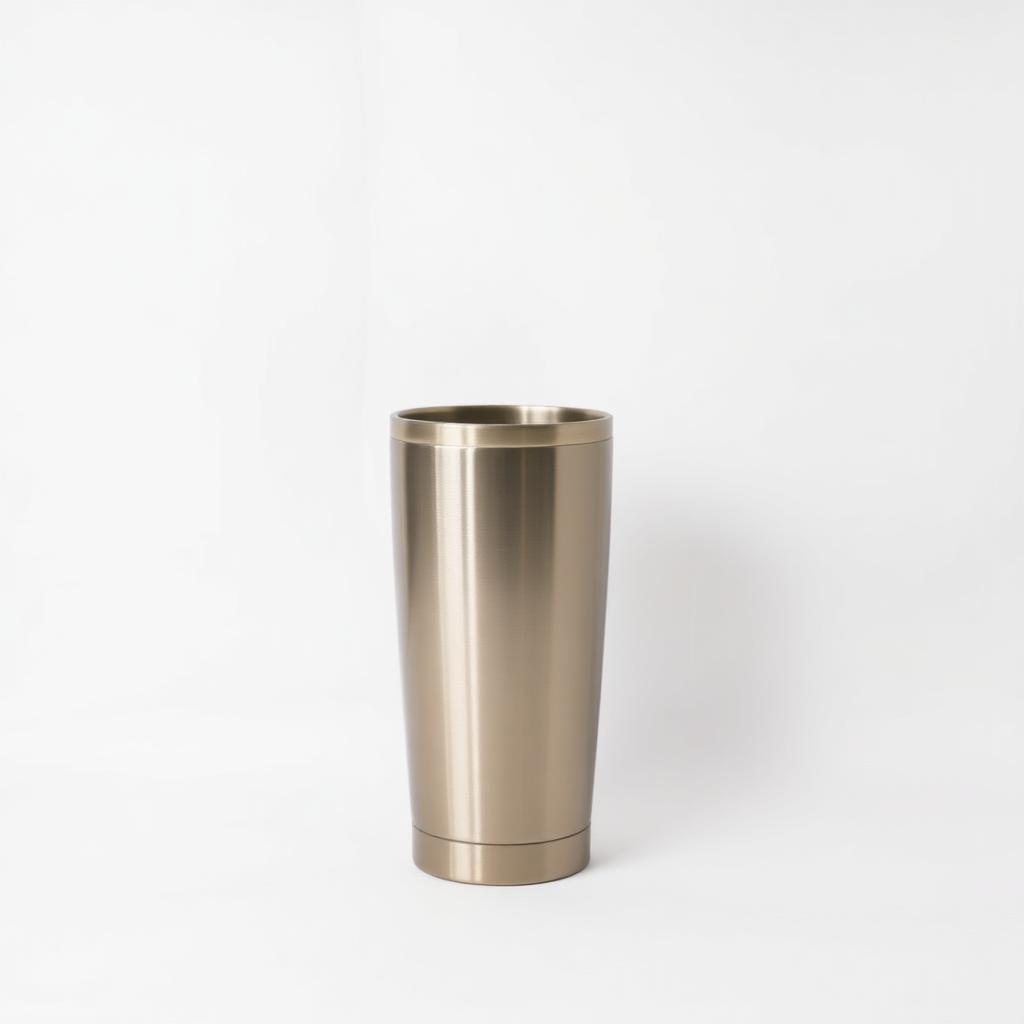
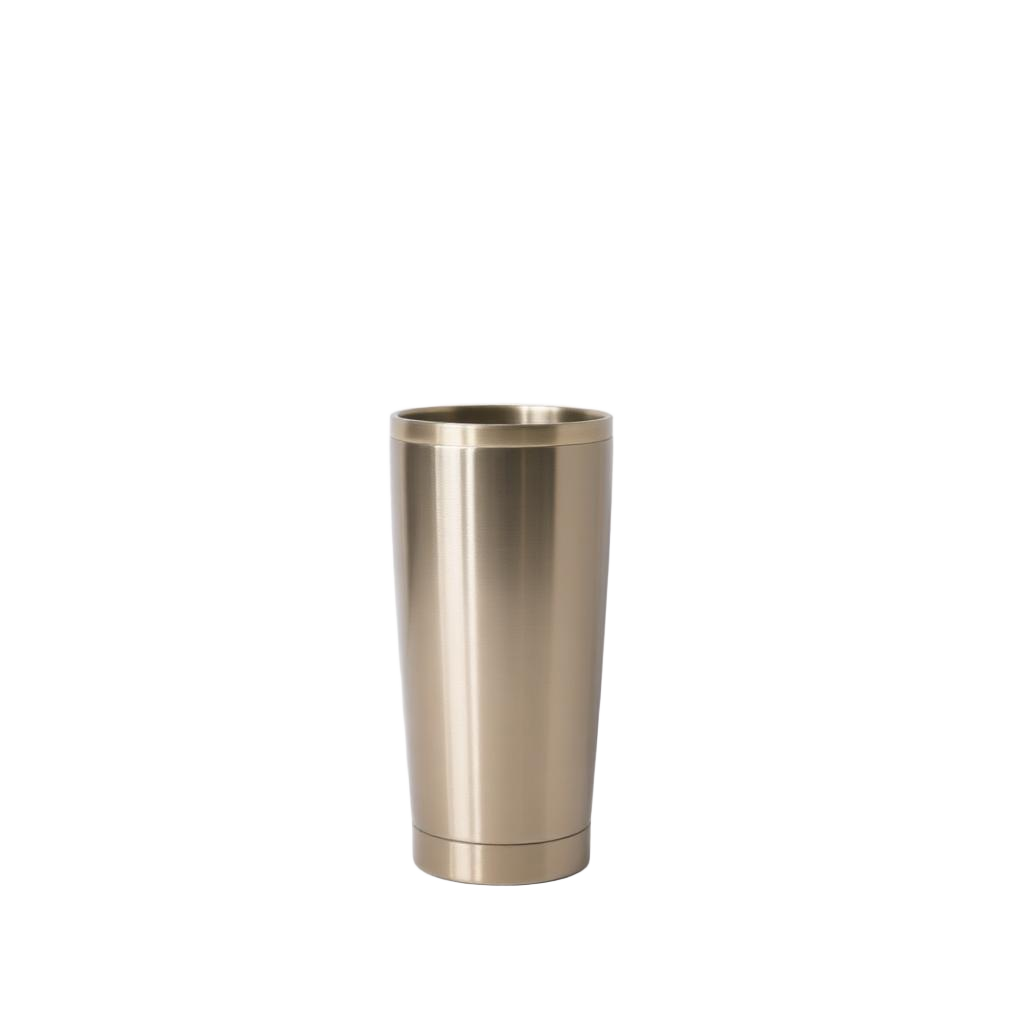
This Workflow generates a studio product photograph and removes its background in a single API call, returning a transparent PNG ready to drop into a website or marketing asset.
| Generated by Flux Schnell | Background removed |
|---|---|
 |
 |
Project Setup
Section titled “Project Setup”# Create a project directory.mkdir prodia-product-shots-workflowcd prodia-product-shots-workflowInstall Node (if not already installed):
brew install node# Close the current terminal and open a new one so that node is available.apt install node# Close the current terminal and open a new one so that node is available.winget install -e --id OpenJS.NodeJS.LTS# Close the current terminal and open a new one so that node is available.Create project skeleton:
# Requires node --version >= 18# Initialize the project with npm.npm init -y
# Install the prodia-js library.npm install prodia --save
Install Python (if not already installed):
brew install python# Close the current terminal and open a new one so that python is available.apt install python3 python3-venv python-is-python3# Close the current terminal and open a new one so that python is available.winget install -e --id Python.Python.3.12# Close the current terminal and open a new one so that python is available.# Requires python --version >= 3.12python -m venv venvsource venv/bin/activatepip install requestsInstall curl (if not already installed):
brew install curl# Close the current terminal and open a new one so that curl is available.apt install curl# Close the current terminal and open a new one so that curl is available.# NOTE: Windows 10 and up have curl installed by default and this can be# skipped.winget install -e --id cURL.cURL# Close the current terminal and open a new one so that curl is available.# Export your token so it can be used by the main code.export PRODIA_TOKEN=your-token-hereYour token is exported to an environment variable. If you close or switch your
shell you’ll need to run export PRODIA_TOKEN=your-token-here again.
Create a main file for your project:
const { createProdia } = require("prodia/v2");
const prodia = createProdia({    token: process.env.PRODIA_TOKEN // get it from environment});
Create the following main.py
from requests.adapters import HTTPAdapter, Retryimport osimport requestsimport sys

prodia_token = os.getenv('PRODIA_TOKEN')prodia_url = 'https://inference.prodia.com/v2/job'
session = requests.Session()retries = Retry(allowed_methods=None, status_forcelist=Retry.RETRY_AFTER_STATUS_CODES)session.mount('http://', HTTPAdapter(max_retries=retries))session.mount('https://', HTTPAdapter(max_retries=retries))session.headers.update({'Authorization': f"Bearer {prodia_token}"})set -euo pipefailYou’re now ready to make some API calls!
Generate and remove the background
Section titled “Generate and remove the background”The chain has two jobs: a text-to-image generation, then inference.remove-background.v1 which replaces the background with transparency.
The remove-background processor returns two outputs — foreground (the transparent PNG you want) and mask (the binary alpha map). The Prodia SDK gives you the foreground automatically. For Python and curl, you need a multipart parser to pull foreground from the response — examples below.
const { createProdia } = require("prodia/v2");const fs = require("node:fs/promises");
const prodia = createProdia({  token: process.env.PRODIA_TOKEN,});
(async () => {  const job = await prodia.job({    type: "workflow.serial.v1",    config: {      jobs: [        {          type: "inference.flux-fast.schnell.txt2img.v2",          config: {            prompt: "studio product photograph of a stainless-steel coffee tumbler on a plain white seamless background, soft even lighting, centred composition",            seed: 42,          },        },        {          type: "inference.remove-background.v1",        },      ],    },  }, {    accept: "image/png",  });
const image = await job.arrayBuffer(); await fs.writeFile("product.png", new Uint8Array(image)); // open product.png})();node main.jspip install requests-toolbeltfrom requests.adapters import HTTPAdapter, Retryfrom requests_toolbelt.multipart.decoder import MultipartDecoderimport osimport requestsimport sys
prodia_token = os.getenv('PRODIA_TOKEN')prodia_url = 'https://inference.prodia.com/v2/job'
session = requests.Session()retries = Retry(allowed_methods=None, status_forcelist=Retry.RETRY_AFTER_STATUS_CODES)session.mount('http://', HTTPAdapter(max_retries=retries))session.mount('https://', HTTPAdapter(max_retries=retries))session.headers.update({'Authorization': f"Bearer {prodia_token}"})
headers = { 'Accept': 'multipart/form-data; image/png',}
job = { 'type': 'workflow.serial.v1', 'config': { 'jobs': [ { 'type': 'inference.flux-fast.schnell.txt2img.v2', 'config': { 'prompt': 'studio product photograph of a stainless-steel coffee tumbler on a plain white seamless background, soft even lighting, centred composition', 'seed': 42, }, }, { 'type': 'inference.remove-background.v1', }, ], },}
res = session.post(prodia_url, headers=headers, json=job)print(f"Request ID: {res.headers['x-request-id']}")print(f"Status: {res.status_code}")
if res.status_code != 200: print(res.text) sys.exit(1)
# remove-background returns two outputs (foreground + mask) — pick the foreground.for part in MultipartDecoder.from_response(res).parts: cd = part.headers[b'Content-Disposition'].decode() if 'filename="foreground"' in cd: with open('product.png', 'wb') as f: f.write(part.content) breakpython main.pyset -euo pipefail
cat <<EOF > job.json{ "type": "workflow.serial.v1", "config": { "jobs": [ { "type": "inference.flux-fast.schnell.txt2img.v2", "config": { "prompt": "studio product photograph of a stainless-steel coffee tumbler on a plain white seamless background, soft even lighting, centred composition", "seed": 42 } }, { "type": "inference.remove-background.v1" } ] }}EOF
curl -sSf --retry 3 \ -H "Authorization: Bearer $PRODIA_TOKEN" \ -H 'Accept: multipart/form-data; image/png' \ -H 'Content-Type: application/json' \ --data-binary @job.json \ --output response.bin \ --dump-header response.headers \ https://inference.prodia.com/v2/job
# remove-background returns two outputs (foreground + mask) — extract the foreground.python3 - <<'PY'import reboundary = re.search(r'boundary=(\S+)', open('response.headers').read()).group(1).strip()raw = open('response.bin', 'rb').read()for part in raw.split(('--' + boundary).encode())[1:-1]: part = part.lstrip(b'\r\n') head_end = part.find(b'\r\n\r\n') head = part[:head_end].decode() body = part[head_end+4:].rstrip(b'\r\n') if 'filename="foreground"' in head: open('product.png', 'wb').write(body)PYbash main.shopen product.pngxdg-open product.pngstart product.png- Prompt for a clean background. Phrases like “plain white seamless background” or “studio backdrop” give the cut-out crisper edges than busy or photographic backgrounds.
- Output is always PNG.
inference.remove-background.v1requires PNG output to preserve the alpha channel — JPEG would flatten it onto an opaque background. - Need only the mask? The chain still works if you read the
maskpart instead offoregroundfrom the multipart response. See Removing Backgrounds for using the mask alone.