

Combining Multiple Images
Several Prodia models accept more than one input image in a single job. This is the model to reach for when you need to combine a subject from one photo with a setting from another, swap an element across images, or carry style and identity from a reference into a new scene — all without writing custom compositing code.
This guide walks through the multipart shape used to send multiple inputs and shows it end-to-end with Nano Banana and FLUX.2 [flex]. The same pattern works with every job type listed under Models that support multiple inputs below.
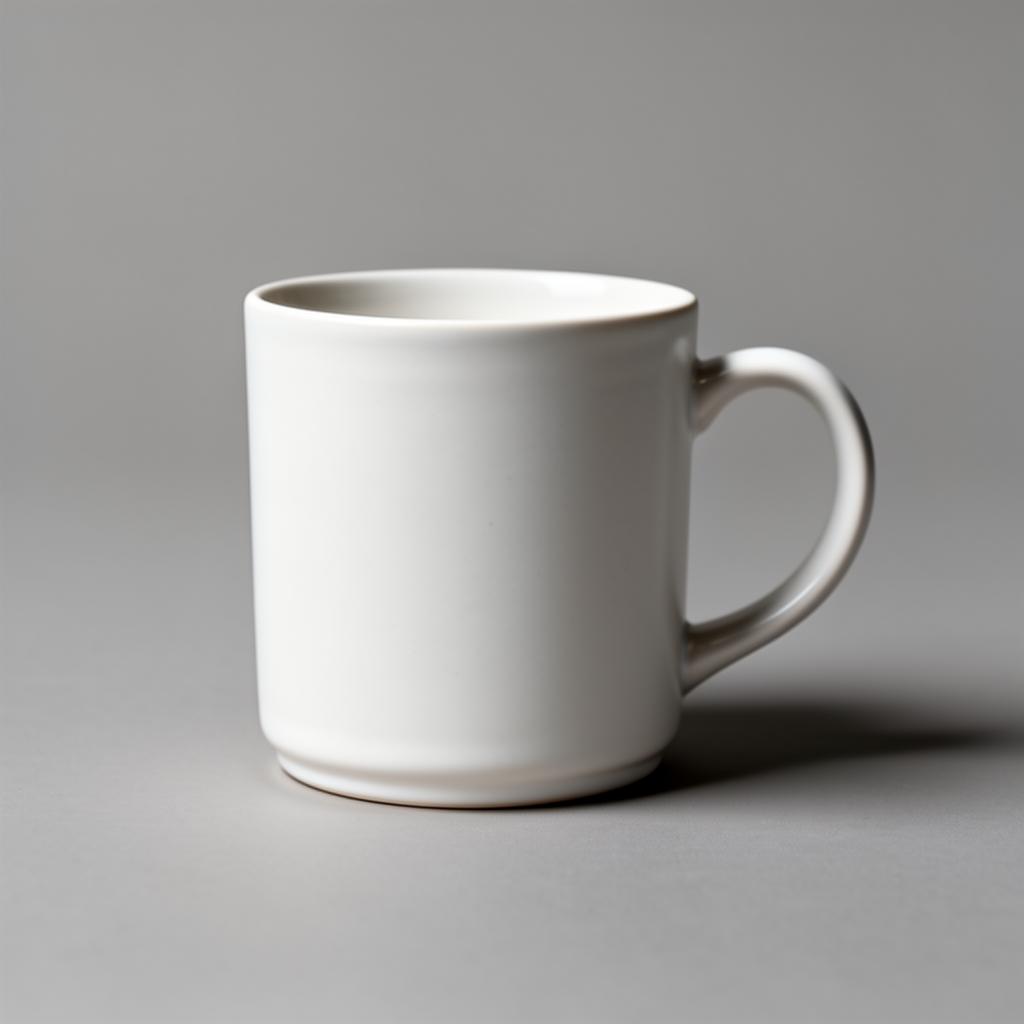
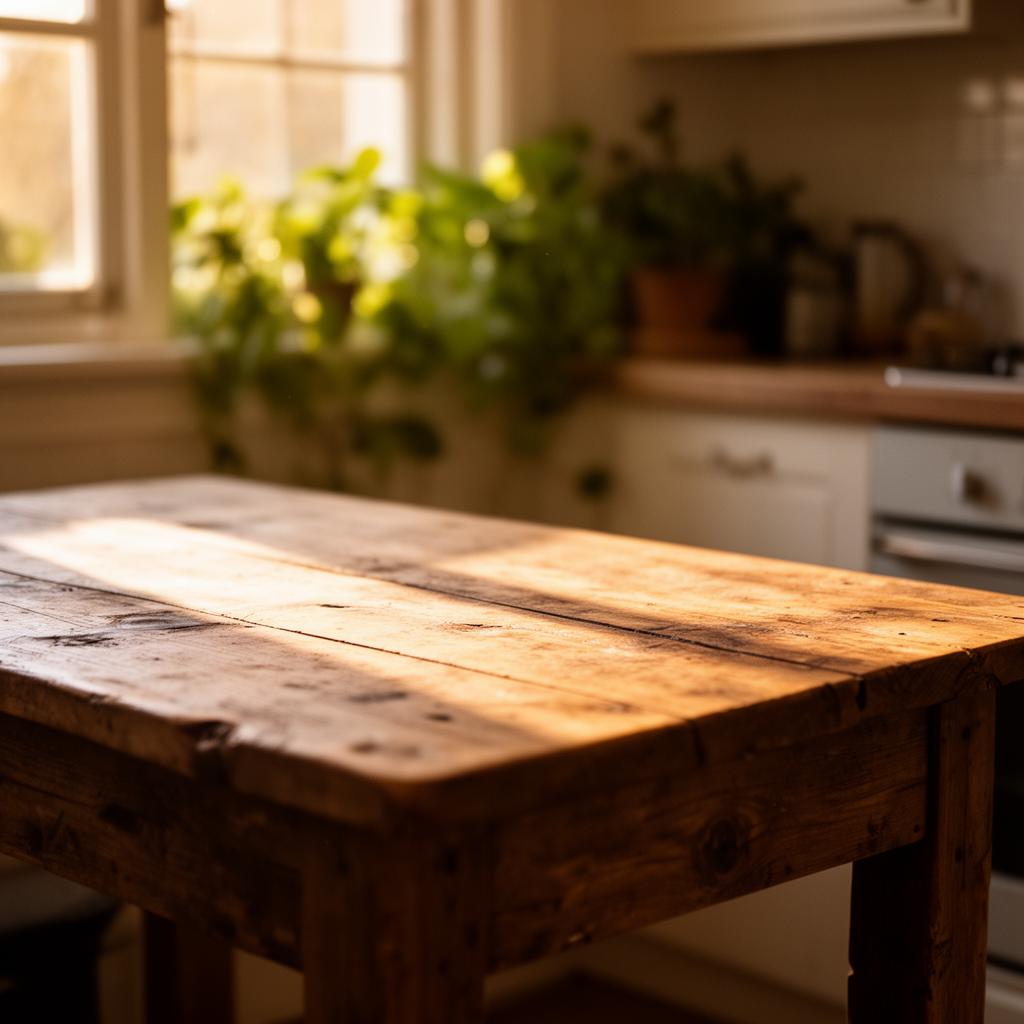
We’ll combine these two inputs — a product shot of a ceramic mug and an empty kitchen scene:
Project Setup
Section titled “Project Setup”# Create a project directory.mkdir prodia-combining-imagescd prodia-combining-imagesInstall Node (if not already installed):
brew install node# Close the current terminal and open a new one so that node is available.apt install node# Close the current terminal and open a new one so that node is available.winget install -e --id OpenJS.NodeJS.LTS# Close the current terminal and open a new one so that node is available.Create project skeleton:
# Requires node --version >= 18# Initialize the project with npm.npm init -y
# Install the prodia-js library.npm install prodia --save
Install Python (if not already installed):
brew install python# Close the current terminal and open a new one so that python is available.apt install python3 python3-venv python-is-python3# Close the current terminal and open a new one so that python is available.winget install -e --id Python.Python.3.12# Close the current terminal and open a new one so that python is available.# Requires python --version >= 3.12python -m venv venvsource venv/bin/activatepip install requestsInstall curl (if not already installed):
brew install curl# Close the current terminal and open a new one so that curl is available.apt install curl# Close the current terminal and open a new one so that curl is available.# NOTE: Windows 10 and up have curl installed by default and this can be# skipped.winget install -e --id cURL.cURL# Close the current terminal and open a new one so that curl is available.# Export your token so it can be used by the main code.export PRODIA_TOKEN=your-token-hereYour token is exported to an environment variable. If you close or switch your
shell you’ll need to run export PRODIA_TOKEN=your-token-here again.
Create a main file for your project:
const { createProdia } = require("prodia/v2");
const prodia = createProdia({    token: process.env.PRODIA_TOKEN // get it from environment});
Create the following main.py
from requests.adapters import HTTPAdapter, Retryimport osimport requestsimport sys

prodia_token = os.getenv('PRODIA_TOKEN')prodia_url = 'https://inference.prodia.com/v2/job'
session = requests.Session()retries = Retry(allowed_methods=None, status_forcelist=Retry.RETRY_AFTER_STATUS_CODES)session.mount('http://', HTTPAdapter(max_retries=retries))session.mount('https://', HTTPAdapter(max_retries=retries))session.headers.update({'Authorization': f"Bearer {prodia_token}"})set -euo pipefailYou’re now ready to make some API calls!
How multi-image inputs work
Section titled “How multi-image inputs work”A multi-image job has two parts:
- The
config.imagesarray lists the filenames of the inputs in the order your prompt refers to them — for example["product.jpg", "scene.jpg"]. - Each filename must be sent as a separate
inputpart in the multipartPOST /v2/jobrequest, with the same name the config refers to.
The server matches the images filenames to the input parts. Send too few parts, or use a different filename than the config references, and you’ll get a 400 Bad Request such as filename 'product.jpg' not found in request.
Compose with Nano Banana
Section titled “Compose with Nano Banana”inference.nano-banana.img2img.v2 accepts up to 3 input images for $0.039 per job, regardless of resolution.
The JS SDK uses File objects to preserve the filename — the config’s images array must match these names exactly.
const { createProdia } = require("prodia/v2");const fs = require("node:fs/promises");
const prodia = createProdia({  token: process.env.PRODIA_TOKEN,});
(async () => {  // download the two reference images on first run  for (const name of ["product.jpg", "scene.jpg"]) {    try {      await fs.access(name);    } catch {      const res = await fetch(`https://docs.prodia.com/multi-input-${name}`);      await fs.writeFile(name, new Uint8Array(await res.arrayBuffer()));    }  }
  const product = new File(    [await fs.readFile("product.jpg")],    "product.jpg",    { type: "image/jpeg" },  );  const scene = new File(    [await fs.readFile("scene.jpg")],    "scene.jpg",    { type: "image/jpeg" },  );
  const job = await prodia.job({    type: "inference.nano-banana.img2img.v2",    config: {      prompt: "Place the white ceramic mug from the first image onto the wooden table in the second image. Match the warm morning lighting and the shallow depth of field of the kitchen scene. Keep the mug's matte finish and proportions exactly the same.",      images: ["product.jpg", "scene.jpg"],      aspect_ratio: "1:1",    },  }, {    inputs: [product, scene],  });
const composed = await job.arrayBuffer(); await fs.writeFile("composed.jpg", new Uint8Array(composed));})();node main.jsSend each input as its own ('input', (filename, bytes, mime)) tuple in the files list. The filename in the tuple must match the entry in config.images.
from requests.adapters import HTTPAdapter, Retryfrom io import BytesIOimport jsonimport osimport requestsimport sys

prodia_token = os.getenv('PRODIA_TOKEN')prodia_url = 'https://inference.prodia.com/v2/job'
session = requests.Session()retries = Retry(allowed_methods=None, status_forcelist=Retry.RETRY_AFTER_STATUS_CODES)session.mount('http://', HTTPAdapter(max_retries=retries))session.mount('https://', HTTPAdapter(max_retries=retries))session.headers.update({'Authorization': f"Bearer {prodia_token}"})
inputs = {}for name in ('product.jpg', 'scene.jpg'):    try:        with open(name, 'rb') as f:            inputs[name] = f.read()    except FileNotFoundError:        res = requests.get(f'https://docs.prodia.com/multi-input-{name}')        inputs[name] = res.content        with open(name, 'wb') as f:            f.write(res.content)
headers = {    'Accept': 'image/jpeg',}
job = {    'type': 'inference.nano-banana.img2img.v2',    'config': {        'prompt': "Place the white ceramic mug from the first image onto the wooden table in the second image. Match the warm morning lighting and the shallow depth of field of the kitchen scene. Keep the mug's matte finish and proportions exactly the same.",        'images': ['product.jpg', 'scene.jpg'],        'aspect_ratio': '1:1',    },}
files = [    ('job', ('job.json', BytesIO(json.dumps(job).encode('utf-8')), 'application/json')),    ('input', ('product.jpg', inputs['product.jpg'], 'image/jpeg')),    ('input', ('scene.jpg', inputs['scene.jpg'], 'image/jpeg')),]
res = session.post(prodia_url, headers=headers, files=files)print(f"Request ID: {res.headers['x-request-id']}")print(f"Status: {res.status_code}")
if res.status_code != 200:    print(res.text)    sys.exit(1)
with open('composed.jpg', 'wb') as f: f.write(res.content)python main.pyRepeat -F input=@<filename> once per image. curl uses each file’s basename as the multipart filename, so the images array in job.json should reference those basenames.
set -euo pipefail
for name in product scene; do if [[ ! -f $name.jpg ]]; then curl -Lo $name.jpg "https://docs.prodia.com/multi-input-$name.jpg" fidone
cat <<EOF > job.json{ "type": "inference.nano-banana.img2img.v2", "config": { "prompt": "Place the white ceramic mug from the first image onto the wooden table in the second image. Match the warm morning lighting and the shallow depth of field of the kitchen scene. Keep the mug's matte finish and proportions exactly the same.", "images": ["product.jpg", "scene.jpg"], "aspect_ratio": "1:1" }}EOF
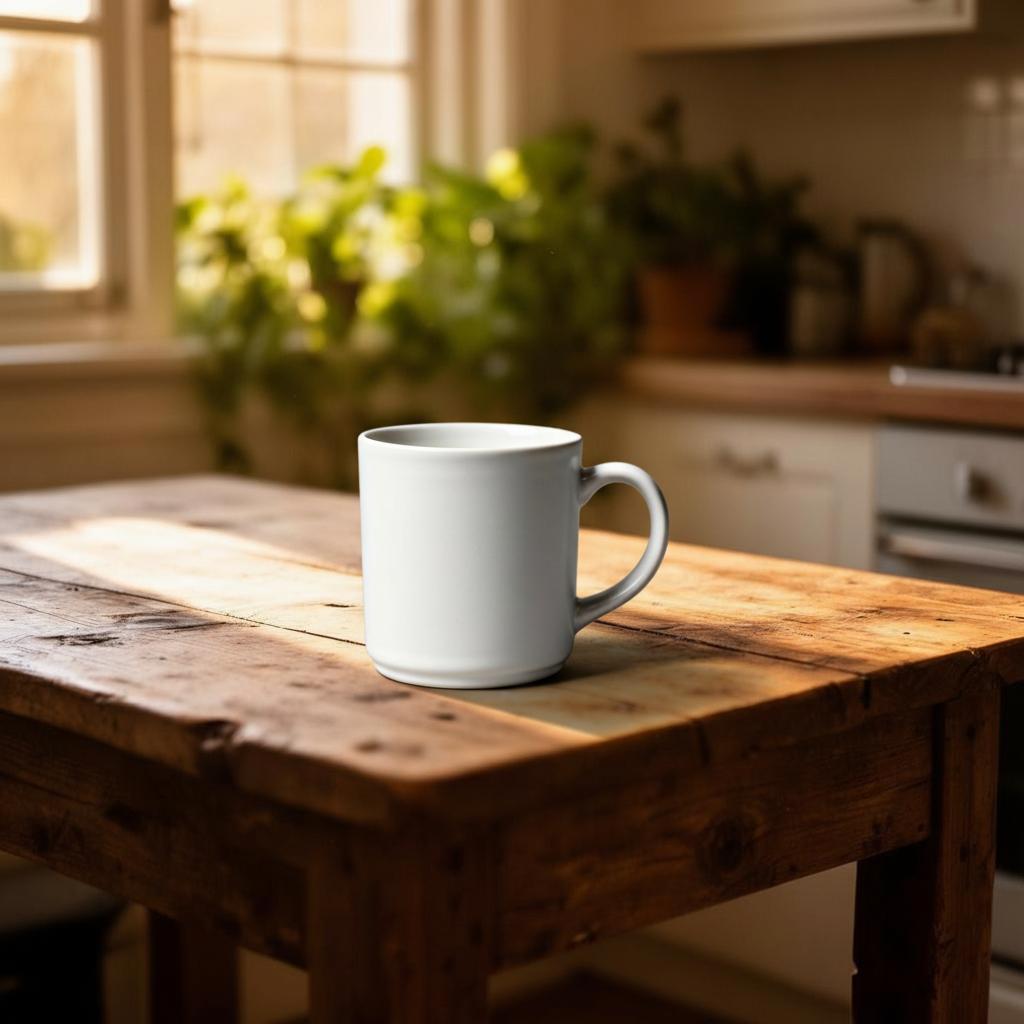
curl -sSf --retry 3 \ -H "Authorization: Bearer $PRODIA_TOKEN" \ -H 'Accept: image/jpeg' \ --output composed.jpg \ https://inference.prodia.com/v2/jobbash main.shopen composed.jpgxdg-open composed.jpgstart composed.jpgThe mug is placed on the wooden table with the warm window light wrapping around it, and the depth of field from the kitchen scene is preserved:
Compose with FLUX.2 [flex]
Section titled “Compose with FLUX.2 [flex]”The same shape works with inference.flux-2.flex.img2img.v1, which accepts up to 10 input images and exposes width, height, steps, and guidance knobs. Only two things change from the Nano Banana request: the type and the FLUX-specific config fields.
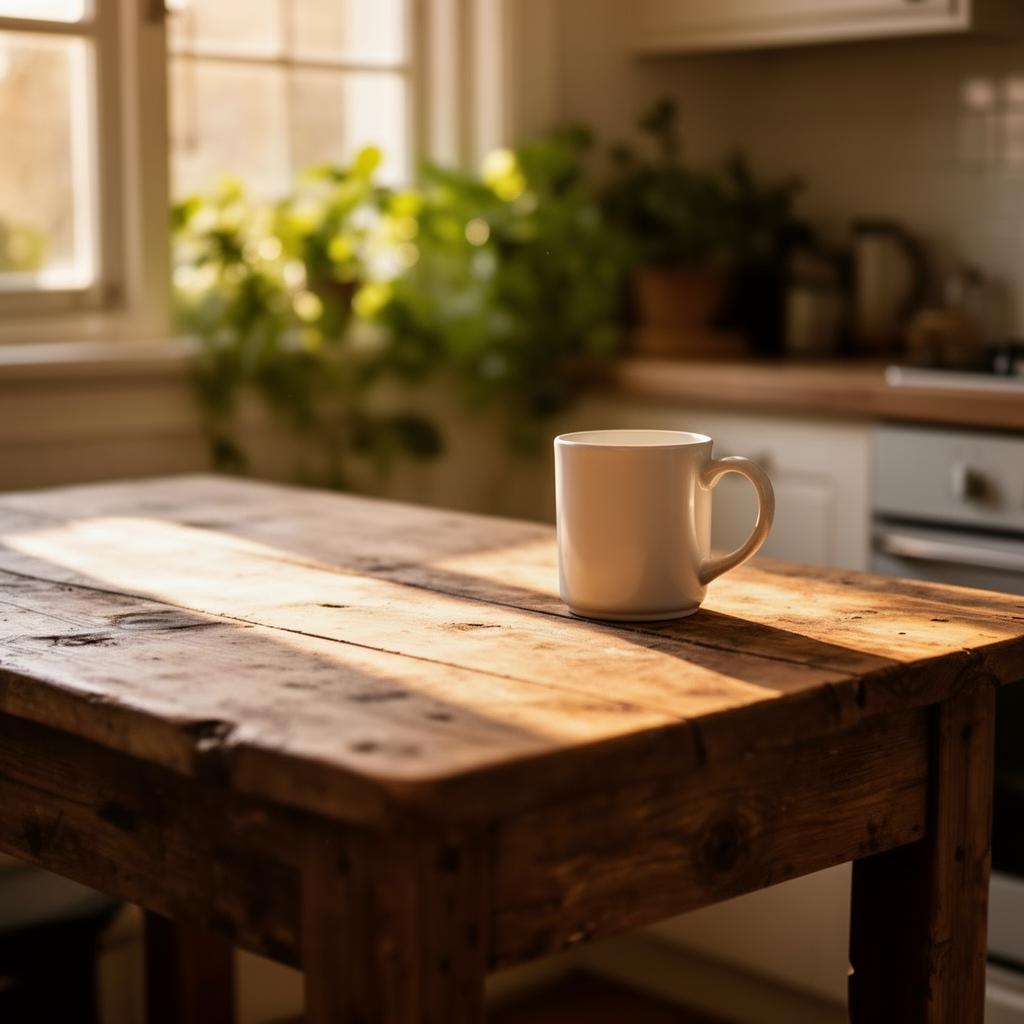
const job = await prodia.job({ type: "inference.nano-banana.img2img.v2", type: "inference.flux-2.flex.img2img.v1", config: { prompt: "Place the white ceramic mug from the first image onto the wooden kitchen table in the second image. Match the warm morning lighting, scale the mug realistically for a kitchen table, and preserve the matte finish. Photorealistic.", images: ["product.jpg", "scene.jpg"], aspect_ratio: "1:1", width: 1024, height: 1024, steps: 50, },}, { inputs: [product, scene],});job = { 'type': 'inference.nano-banana.img2img.v2', 'type': 'inference.flux-2.flex.img2img.v1', 'config': { 'prompt': "Place the white ceramic mug from the first image onto the wooden kitchen table in the second image. Match the warm morning lighting, scale the mug realistically for a kitchen table, and preserve the matte finish. Photorealistic.", 'images': ['product.jpg', 'scene.jpg'], 'aspect_ratio': '1:1', 'width': 1024, 'height': 1024, 'steps': 50, },}cat <<EOF > job.json{ "type": "inference.nano-banana.img2img.v2", "type": "inference.flux-2.flex.img2img.v1", "config": { "prompt": "Place the white ceramic mug from the first image onto the wooden kitchen table in the second image. Match the warm morning lighting, scale the mug realistically for a kitchen table, and preserve the matte finish. Photorealistic.", "images": ["product.jpg", "scene.jpg"], "aspect_ratio": "1:1" "width": 1024, "height": 1024, "steps": 50 }}EOFFLUX.2 [flex] returns a similar composite — the diffusion path adds slightly more variance to the mug’s silhouette but resolves the lighting on the wood with sharper highlights:
Models that support multiple inputs
Section titled “Models that support multiple inputs”| Job type | Max inputs | Notes |
|---|---|---|
inference.nano-banana.img2img.v2 |
3 | Flat-rate, ~8s, natural-language editing |
inference.gemini-3-pro.img2img.v1 |
3 | Up to 4K resolution, ~12s |
inference.gemini-3-1-flash.img2img.v1 |
14 | Cheaper Gemini variant, optional Google Search grounding |
inference.flux-2.dev.img2img.v1 |
8 | Open-weight variant with style presets |
inference.flux-2.pro.img2img.v1 |
8 | Up to 4096px, 9MP combined input limit |
inference.flux-2.flex.img2img.v1 |
10 | Highest input count in the FLUX.2 family |
inference.flux-2.max.img2img.v1 |
8 | Highest single-image quality at up to 2048px |
inference.seedream-5-0.lite.img2img.v1 |
14 | Multi-image blending |
Single-input editing models — FLUX.1 Kontext, SDXL inpainting, Recraft V4, and the SeedEdit/Seedance img2img endpoints — accept only one input part. Sending more than one will be rejected at validation.
Prompting tips for multi-image jobs
Section titled “Prompting tips for multi-image jobs”- Anchor each input by position. Models read the
imagesarray in order. Phrase your prompt as “the <subject> from the first image, on the <background> in the second image” rather than naming files - Describe the relationship, not each image. The model already sees both — what it needs from you is what to do with them (“place onto”, “match the lighting of”, “blend the styles of”)
- Be explicit about what to preserve. Phrases like “keep the matte finish exactly the same” reduce drift on the subject you care about
- Match aspect ratios deliberately. Nano Banana defaults to
auto(the first input’s aspect ratio); FLUX.2 takes explicitwidthandheight. Choose the framing the scene image was shot for — your subject will be re-composed into it
Common errors
Section titled “Common errors”filename 'X' not found in request— the filename inconfig.imagesdoes not match anyinputpart. With the JS SDK,Uint8ArrayandBlobinputs are sent asimage.jpgregardless of the variable name; use aFileobject with the desired name (as shown above) when the config references specific filenamesconfig: too many images— exceeded the per-model input limit (see the table above)413 Payload Too Large— total upload exceeded the per-model size limit (FLUX.2 Pro caps the combined inputs at 9MP, for example). Resize inputs before sending