

Gemini 3
Gemini 3 is Google’s higher-tier image family — the same multimodal lineage as Nano Banana, but with selectable resolution up to 4K and stronger fidelity on complex prompts. Two variants are exposed through Prodia: Gemini 3 Pro for highest-quality output and Gemini 3.1 Flash for cost-efficient generation with optional Google Search grounding. Both accept text prompts, support image-to-image editing, and complete in 10–35 seconds depending on resolution.
Architecture
Section titled “Architecture”Gemini 3 is a multimodal model: text and images share a single context window, and image generation runs through the same reasoning path as text generation. In practice this is what makes editing behave like instruction-following rather than diffusion noise blending — the model reads the input image as visual tokens, reasons about which regions the prompt describes, and rewrites only those pixels.
The Pro variant is the higher-capability tier, biased toward complex compositions, accurate text rendering, and detail retention at high resolutions. Flash is the smaller, faster sibling — same model family, lower cost per image, and uniquely able to ground generation in real-time Google Search results when google_search is enabled.
Choosing a variant
Section titled “Choosing a variant”| Variant | Best for | Generation time | Resolutions | Price |
|---|---|---|---|---|
| Pro | High-fidelity output, hardest prompts, 4K detail | ~10–12s | 1K, 2K, 4K | $0.15 (1K/2K), $0.30 (4K) |
| Flash | Cost-efficient generation, search grounding, batch workloads | ~30–35s | 1K, 2K, 4K | $0.08 (1K), $0.12 (2K), $0.16 (4K) |
Gemini 3 Pro — flagship image model. Accurate text rendering, photorealistic detail, and consistent multi-object composition. Img2img accepts up to 3 reference images.
Gemini 3.1 Flash — smaller, cheaper, and supports google_search grounding for prompts that require real-world facts (logos, product designs, current events). Img2img accepts up to 14 reference images, useful for multi-image composition or character-consistency workflows across larger image sets.
When to use Gemini 3
Section titled “When to use Gemini 3”- 4K-resolution output — neither Nano Banana nor FLUX.2 generates above 2K natively. Use Gemini 3 when you need print-quality detail
- Accurate text rendering at high resolution — both variants render text reliably; for native vector text output, see Recraft V4
- Multi-image composition with up to 14 inputs (Flash) — combining a subject across many reference frames, or fusing several scenes into one
- Search-grounded generation (Flash only) — set
google_search: trueto pull in real-world references during generation. Useful for logos, products, locations, or anything that benefits from current factual context - Predictable resolution-tier pricing — the only billing parameter is
resolution. No per-step or per-pixel cost surprises
For natural-language editing at flat per-job pricing, Nano Banana is a strong alternative. For instruction-guided edits with arbitrary aspect ratios, see FLUX.1 Kontext.
Job types
Section titled “Job types”| Job type | Description | ETA |
|---|---|---|
inference.gemini-3-pro.txt2img.v1 |
Gemini 3 Pro text-to-image | ~10s |
inference.gemini-3-pro.img2img.v1 |
Gemini 3 Pro image-to-image (up to 3 inputs) | ~12s |
inference.gemini-3-1-flash.txt2img.v1 |
Gemini 3.1 Flash text-to-image, optional Google Search grounding | ~30s |
inference.gemini-3-1-flash.img2img.v1 |
Gemini 3.1 Flash image-to-image (up to 14 inputs) | ~35s |
Parameters
Section titled “Parameters”Common to all four job types:
prompt(required) — text description of the desired output, 1–5,000 characters. For img2img this is the editing instructionaspect_ratio— one of1:1(default),2:3,3:2,3:4,4:3,4:5,5:4,9:16,16:9,21:9resolution—1K(default),2K, or4K. Use uppercase K. Pricing tier is determined by this fieldinclude_messages— boolean, defaultfalse. Whentrue, the multipart response also returnsmessage.txtparts containing the model’s natural-language reasoning
gemini-3-pro.img2img.v1:
images— optional array of 1–3 input image filenames sent as multipartinputparts. When omitted, a single attached input is used implicitly
gemini-3-1-flash.txt2img.v1 and img2img.v1:
google_search— boolean, defaultfalse. Enables Google Search grounding so the model can incorporate real-world references (logos, products, locations) into the outputimages—img2imgonly, optional array of 1–14 input image filenames
Prompting tips
Section titled “Prompting tips”- Describe the change, not the whole scene. For img2img write the diff — “add a small wooden tag with a leather string” — rather than re-describing the input. The model already sees it
- Anchor preservation explicitly. “Keep everything else exactly the same” reduces drift in untouched regions, especially for subtle edits at 1K
- Use
4Konly when you need it. 4K Pro is 2x the price of 1K/2K, and Flash 4K takes 30s+. For thumbnails and web use, 1K is usually enough - Enable
google_searchfor fact-bound prompts — brand logos, product replicas, real-world architecture. Skip it for purely creative prompts where grounding adds latency without value - Pass multiple images deliberately. When using multi-image inputs, refer to them by position in the prompt — “the subject from the first image, in the setting from the second” — and make sure the multipart filenames match the order in
images - Pick
aspect_ratioup front. The default is1:1. For social, web, or phone, set9:16or16:9rather than upscaling or cropping after the fact
Examples
Section titled “Examples”Gemini 3 Pro text-to-image at 16:9, 1K resolution:
{ "type": "inference.gemini-3-pro.txt2img.v1", "config": { "prompt": "a cute red panda eating bamboo on a mossy log, soft natural light, photorealistic", "aspect_ratio": "16:9", "resolution": "1K" }}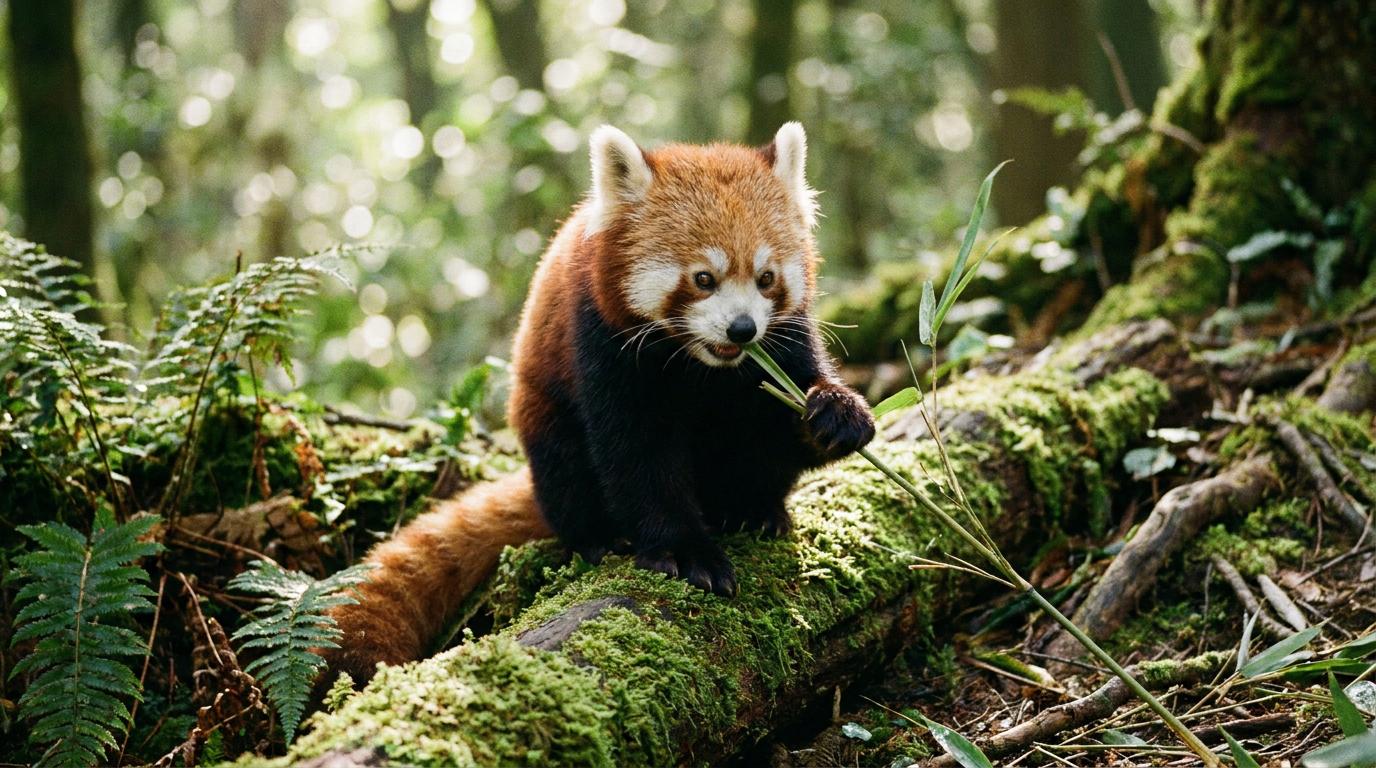
Same image edited with img2img.v1 — adds a wooden name tag while preserving the pose, fur, lighting, and background:
{ "type": "inference.gemini-3-pro.img2img.v1", "config": { "prompt": "Add a small wooden tag with a leather string around the red panda's neck. Keep everything else exactly the same.", "aspect_ratio": "16:9", "resolution": "1K" }}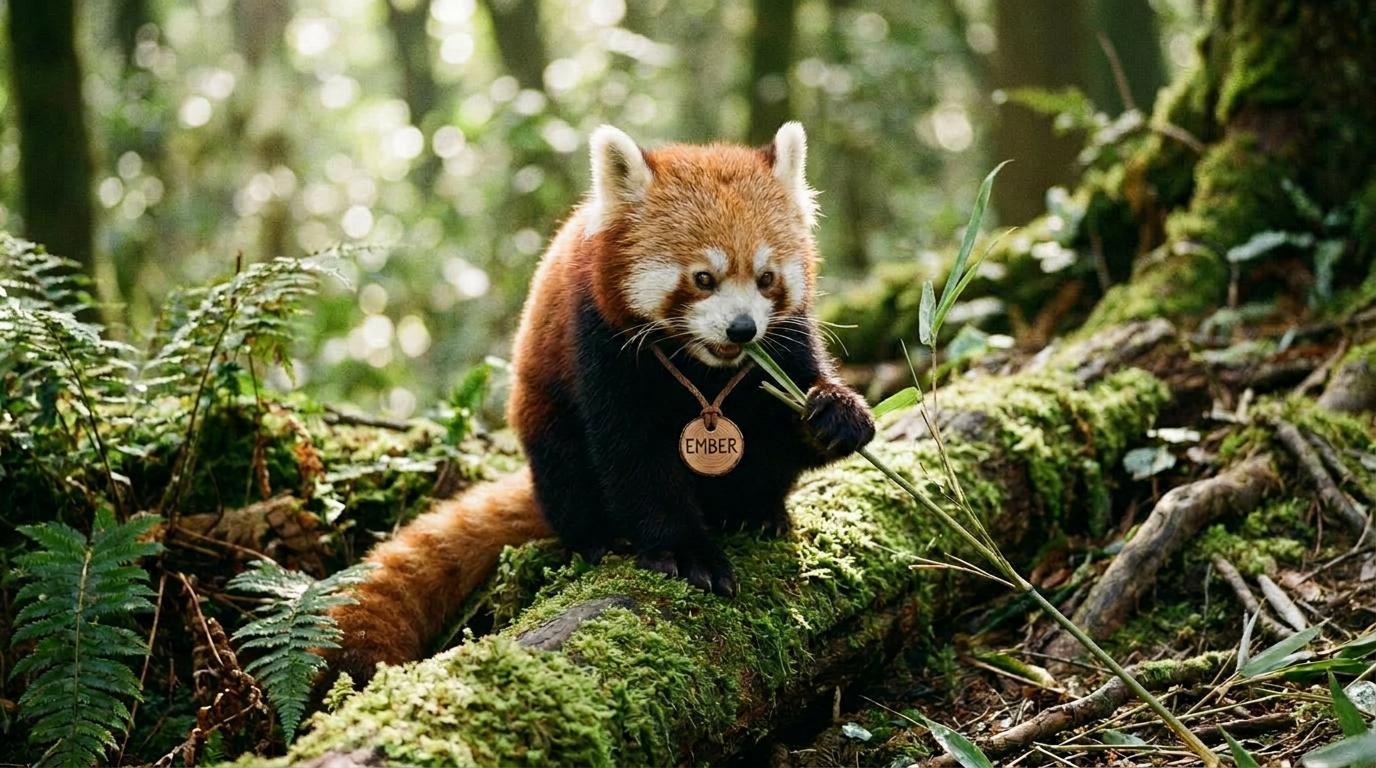
Gemini 3.1 Flash text-to-image at 2K, generating a multi-panel infographic with rendered text:
{ "type": "inference.gemini-3-1-flash.txt2img.v1", "config": { "prompt": "a hyper-realistic infographic poster about coffee brewing methods, clean modern design, soft pastel background", "aspect_ratio": "3:4", "resolution": "2K" }}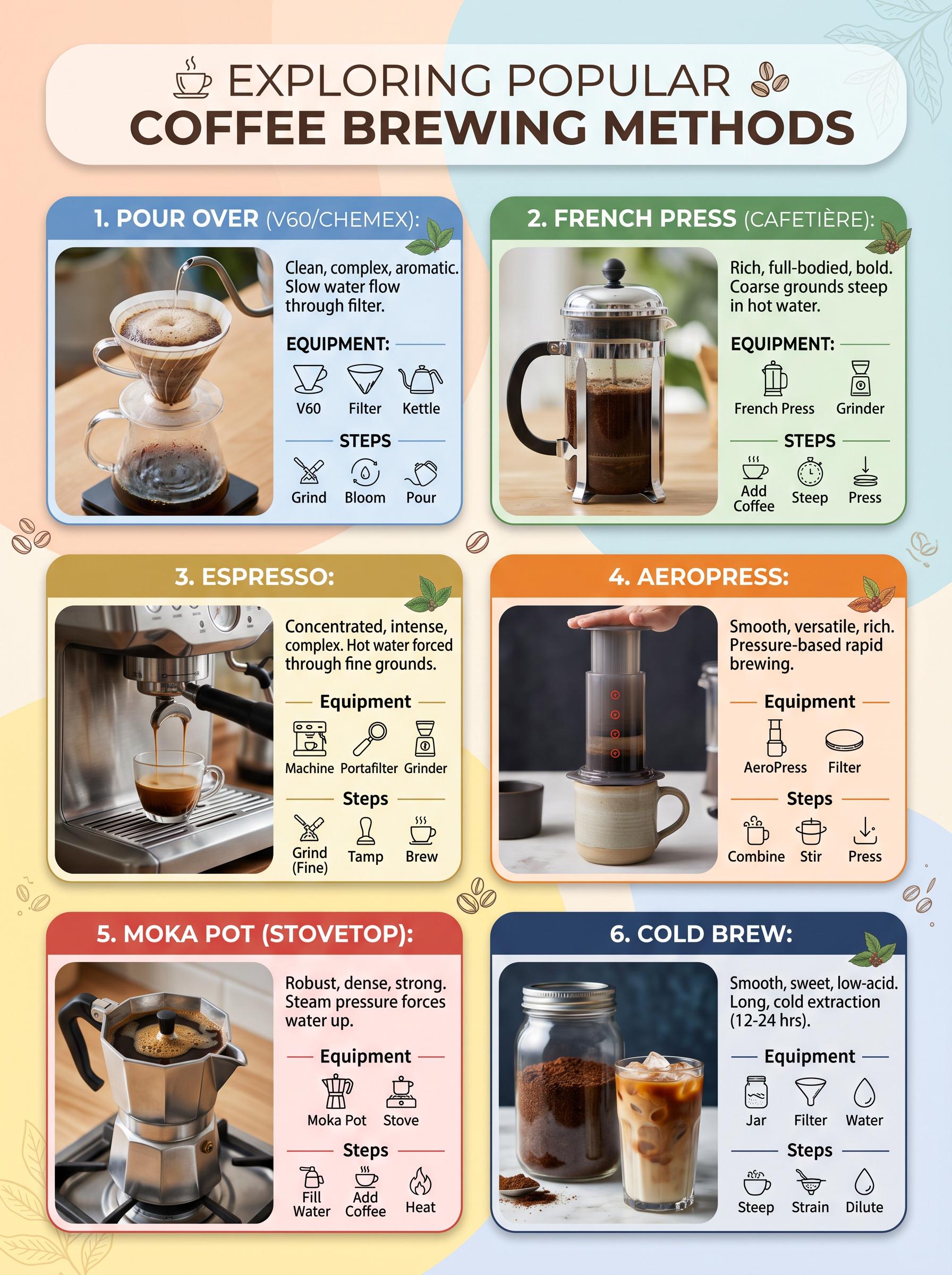
Gemini 3.1 Flash img2img — same red panda transformed into a winter scene:
{ "type": "inference.gemini-3-1-flash.img2img.v1", "config": { "prompt": "Make this look like a winter scene with snow falling and snow covering the moss and ferns. Keep the red panda in the same pose.", "aspect_ratio": "16:9", "resolution": "1K" }}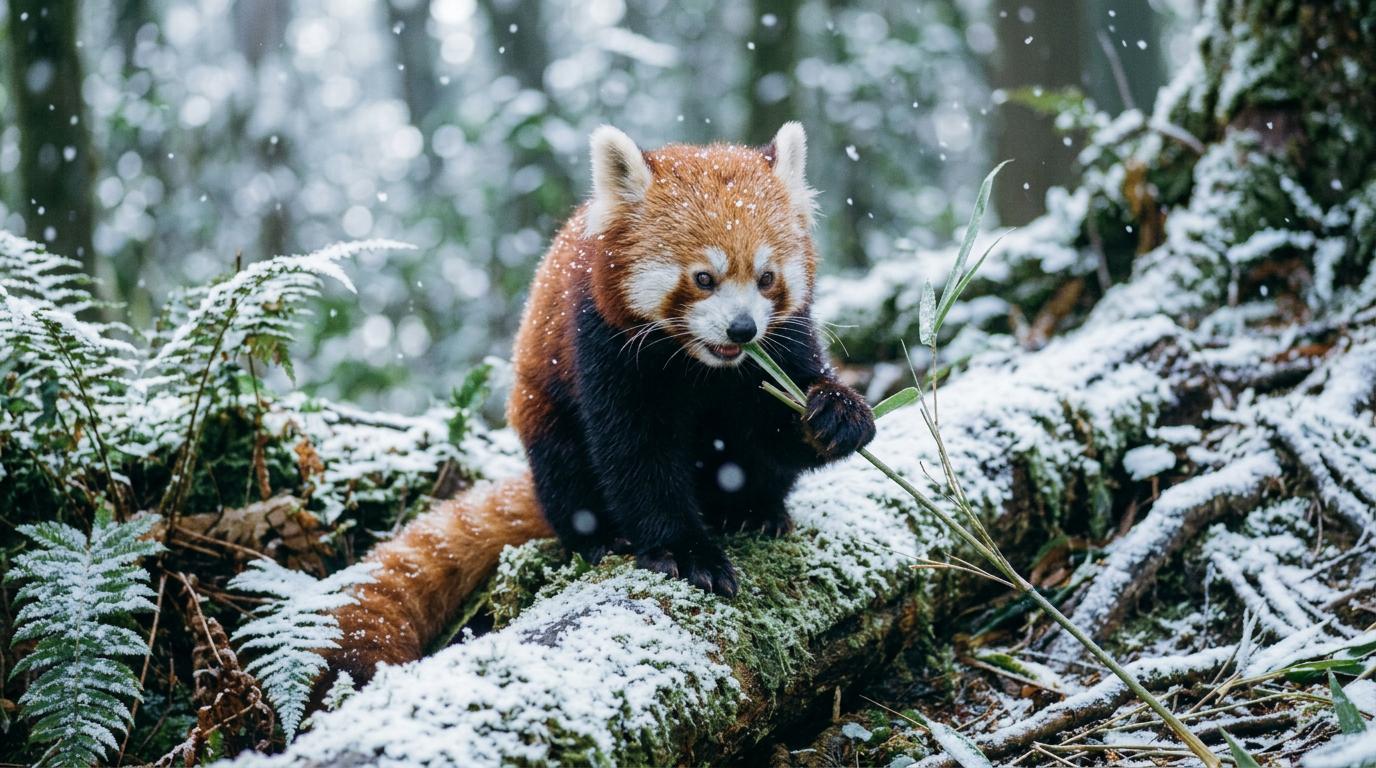
Search-grounded generation with Flash — pull a real-world reference into the output:
{ "type": "inference.gemini-3-1-flash.txt2img.v1", "config": { "prompt": "a product render of the original 1984 Macintosh 128K on a clean studio backdrop, accurate proportions, soft top lighting", "aspect_ratio": "1:1", "resolution": "2K", "google_search": true }}