

Seedance
Seedance is ByteDance’s video generation model family, developed by the team behind Doubao and the Seedream image models. It is built for fast, prompt-faithful video generation: a short prompt produces a coherent clip, with resolution and duration limits depending on the model, with strong adherence to camera-direction language (“dolly in”, “tracking shot”, “static”) and good motion stability across frames.
Architecture
Section titled “Architecture”Seedance is a Diffusion Transformer (DiT) trained jointly on text-to-video and image-to-video objectives. Two design choices stand out for API users:
- Decoupled spatial and temporal layers — the model alternates spatial-attention blocks (per-frame composition) with temporal-attention blocks (cross-frame motion). This split lets it learn fine-grained appearance and physics independently, which produces fewer flicker artifacts on textures like fur, fabric, and water than single-stream architectures.
- Multi-shot training — Seedance is trained on multi-shot sequences, so a single prompt that describes a brief sequence of actions (“the dog runs to the camera, then leaps over the puddle”) tends to produce a continuous shot that follows the described beats rather than a single static motion.
Variant comparison
Section titled “Variant comparison”The older Seedance 1.0 jobs on Prodia include Pro and Pro Turbo. Pro Turbo is the default starting point for almost all use cases; Pro exists for cases where you need maximum quality and are willing to pay more for it.
| Feature | Pro Turbo | Pro |
|---|---|---|
| Job type prefix | inference.seedance.proturbo.* |
inference.seedance.pro.* |
| Resolutions | 480p, 1080p | 480p, 1080p |
| Aspect ratios (txt2vid) | 16:9, 9:16, 1:1, 4:3, 3:4, 21:9 | 16:9, 9:16, 1:1, 4:3, 3:4, 21:9 |
| Duration | 5s or 10s | 5s or 10s |
| Generation time | ~45s | ~60s |
| Cost (1080p, 5s) | lower (around half of Pro) | higher |
Pro Turbo — the recommended default. A distillation/optimization tier with the same API surface as Pro and ~25% faster generation. The quality difference for typical prompts is small enough that Pro Turbo is the right choice unless you have a specific reason to pay more.
Pro — full-quality variant. Useful when you have a finished prompt that didn’t quite render the way you wanted on Pro Turbo and you want one more pass with the higher-quality model before iterating on the prompt.
When to use Seedance
Section titled “When to use Seedance”| Use case | Job type | Why Seedance |
|---|---|---|
| Short cinematic clip from a prompt | proturbo.txt2vid |
~45s generation at 1080p, strong camera-direction prompting |
| Animating a hero image / product shot | proturbo.img2vid |
Faithful starting frame + natural motion in 5s |
| Loopable social content | proturbo.txt2vid with aspect_ratio: 9:16 |
Native portrait support for TikTok/Reels |
| Final-pass quality on a locked prompt | pro.txt2vid / pro.img2vid |
Slightly higher fidelity than Pro Turbo at higher cost |
Seedance 2.0, Fast, Mini, and 2.5 support first/last frame inputs through img2vid and image/video/audio references through ref2vid. The older Pro and Pro Turbo jobs accept a first-frame image. See the model-specific limits and job types below.
Job types
Section titled “Job types”| Job type | Description | ETA |
|---|---|---|
inference.seedance.proturbo.txt2vid.v1 |
Text-to-video, Pro Turbo | ~45s |
inference.seedance.proturbo.img2vid.v1 |
Image-to-video from a starting frame, Pro Turbo | ~45s |
inference.seedance.pro.txt2vid.v1 |
Text-to-video, Pro | ~60s |
inference.seedance.pro.img2vid.v1 |
Image-to-video from a starting frame, Pro | ~60s |
Parameters
Section titled “Parameters”Common to the Pro and Pro Turbo job types listed above:
prompt(required) — text description of the desired clip, 3–4,096 charactersresolution—"480p"or"1080p"(default:"1080p"). Exact width/height varies with aspect ratio.duration—5or10seconds (default:5)camera_fixed—trueto discourage camera motion (default:false, not guaranteed)watermark—trueto add an “AI-generated” watermark (default:false)seed— integer for reproducible results
Text-to-video only:
aspect_ratio—"16:9"(default),"9:16","1:1","4:3","3:4", or"21:9"
Image-to-video only:
first_frame— filename of the starting frame, supplied as a multipart form file. Aspect ratio of the output follows the input image.
Prompting tips
Section titled “Prompting tips”- Describe the motion, not just the scene — Seedance is trained to follow camera and subject-motion language. A prompt like
"slow dolly in on the puppy, shallow depth of field"produces noticeably more intentional motion than"a puppy". - Use camera_fixed on Pro and Pro Turbo for product shots — when you want the subject to move but the camera held still (e.g. a rotating product on a tabletop), set
camera_fixed: trueand describe the subject motion in the prompt. - Match aspect ratio to platform —
9:16for TikTok/Reels/Shorts,16:9for YouTube/landing pages,1:1for Instagram feed,21:9for cinematic banners. - 480p is genuinely useful for iteration — 480p costs roughly a fifth of 1080p and finishes in the same wall time. Iterate on prompts at 480p, then switch the same prompt to 1080p for the final render.
- Short, declarative prompts beat long ones — Seedance handles 1–2 sentence prompts well. Very long prompts tend to get partially ignored; if you need to describe a sequence of actions, separate beats with commas rather than long subordinate clauses.
Examples
Section titled “Examples”Text-to-video at 1080p, 16:9, 5 seconds:
{ "type": "inference.seedance.proturbo.txt2vid.v1", "config": { "prompt": "a golden retriever puppy running through a field of wildflowers in slow motion, cinematic lighting, hyperrealistic", "resolution": "1080p", "aspect_ratio": "16:9", "duration": 5 }}Sample frame from the generated clip (480p preview shown for size):
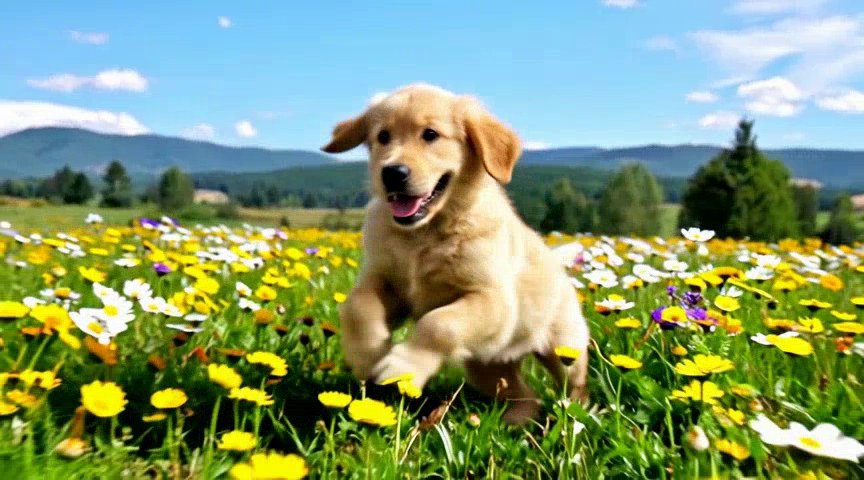
Vertical 9:16 clip for TikTok/Reels with a fixed camera:
{ "type": "inference.seedance.proturbo.txt2vid.v1", "config": { "prompt": "a barista pouring latte art into a cup, steam rising, warm morning light", "resolution": "1080p", "aspect_ratio": "9:16", "duration": 5, "camera_fixed": true }}Image-to-video — animate a still frame with a described camera move. The first_frame field names the file, which is uploaded alongside the job as multipart form-data:
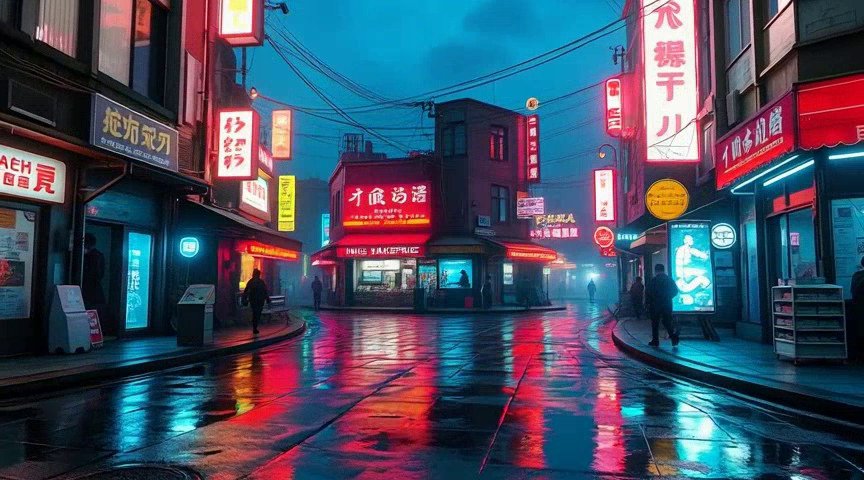
{ "type": "inference.seedance.proturbo.img2vid.v1", "config": { "first_frame": "cyberpunk-input.jpg", "prompt": "the camera slowly pushes forward through the cyberpunk market, neon signs flicker, people walk by", "resolution": "1080p", "duration": 5 }}Input frame:
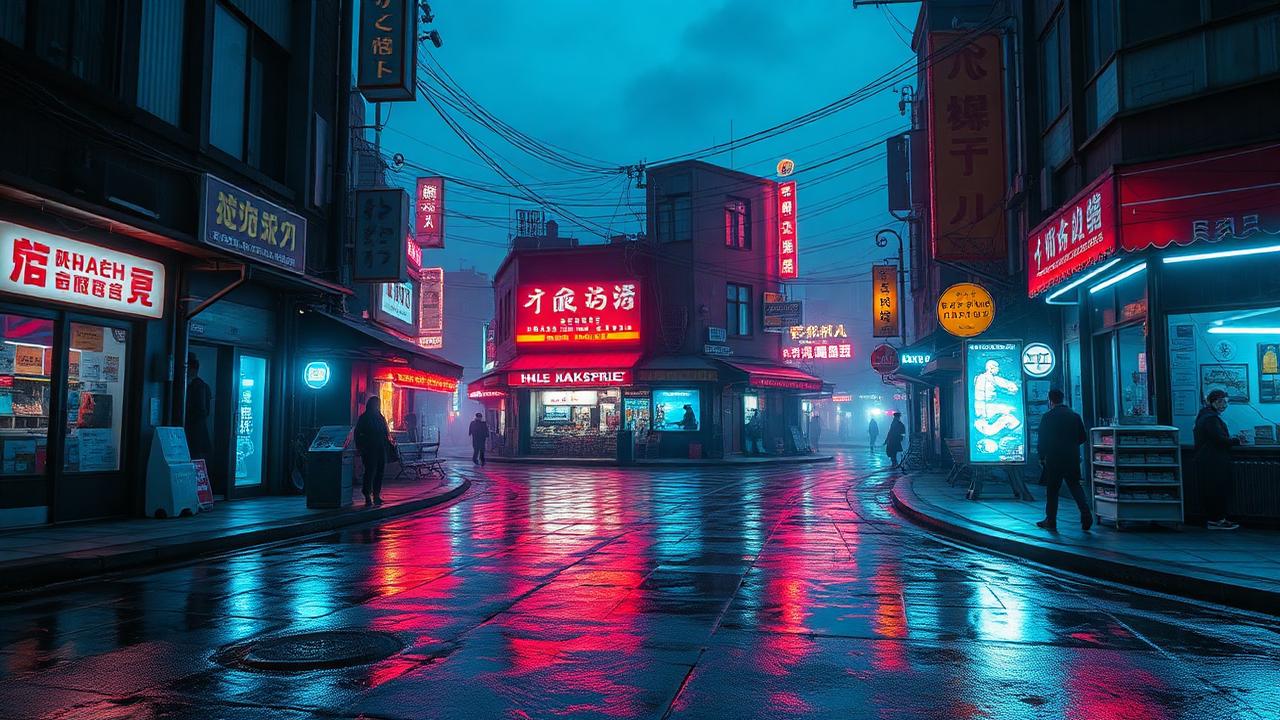
Sample frame from the generated clip — the camera has pushed forward through the same scene:
Guides
Section titled “Guides”Seedance 2.x controls and references
Section titled “Seedance 2.x controls and references”Seedance 2.5 exposes text-to-video and image-to-video jobs:
inference.partner.seedance-2-5.txt2vid.v2 and inference.partner.seedance-2-5.img2vid.v2.
Multimodal references use inference.partner.seedance-2-5.ref2vid.v2, with a required
references filename array. Upload each reference file with its corresponding image, video, or audio Content-Type. Its controls include resolution (480p, 720p, 1080p),
aspect ratio, duration (4–30 seconds or -1 for automatic), seed (-1 for random or
0–2147483647), watermark, audio generation, and returning the last frame.
Use aspect_ratio: "adaptive" with Seedance 2.5 first-frame inputs; this is the only allowed value for that mode.
Seedance 2.0 Mini adds inference.partner.seedance-2.mini.txt2vid.v1 and
inference.partner.seedance-2.mini.img2vid.v1, supporting 480p/720p and 4–15 second
outputs or automatic duration. Standard 2.0 also exposes 4K resolution.
For Seedance 2.x image-to-video, upload a first-frame image and name it with first_frame; last_frame is optional and requires first_frame. An unnamed first image upload is also accepted. Seedance 2.5 additionally accepts image as an alternative to first_frame.
For reference-to-video, use references. Frame and reference roles cannot be
combined. Audio-only references are supported in 2.5. Its input limits are 30
images, 10 videos, and 10 audio clips, with 30 seconds total each of video and audio.
{ "type": "inference.partner.seedance-2-5.ref2vid.v2", "config": { "prompt": "Continue the camera movement from the reference", "references": ["reference.mp4"], "duration": 8, "resolution": "720p", "seed": 0 }}See the official Seedance 2.5 guide.
Seedance 2.5 defaults to resolution: "720p" and automatic duration (-1). Standard 2.0 defaults to resolution: "1080p"; Fast and Mini default to "720p". Those three variants default to duration: 5. All 2.x variants default to aspect_ratio: "adaptive", watermark: false, generate_audio: true, and return_last_frame: false. Set return_last_frame: true to receive the final frame alongside the video. Seed is optional; use -1 for random or an integer from 0 to 2147483647. Use Accept: video/mp4 (default) or Accept: video/quicktime for MOV. In ref2vid, omni_reference_task_type accepts auto/reference/edit/extend; edit requires a reference video, adaptive aspect ratio, and automatic duration, while extend requires a reference video and adaptive aspect ratio.
All Seedance 2.x variants have separate text, frame, and reference generation types:
| Variant | Text | First/last frames | References | Output resolutions |
|---|---|---|---|---|
| Standard 2.0 | inference.partner.seedance-2.txt2vid.v2 |
inference.partner.seedance-2.img2vid.v2 |
inference.partner.seedance-2.ref2vid.v2 |
480p, 720p, 1080p, 4k |
| Fast | inference.partner.seedance-2.fast.txt2vid.v2 |
inference.partner.seedance-2.fast.img2vid.v2 |
inference.partner.seedance-2.fast.ref2vid.v2 |
480p, 720p |
| Mini | inference.partner.seedance-2.mini.txt2vid.v1 |
inference.partner.seedance-2.mini.img2vid.v1 |
inference.partner.seedance-2.mini.ref2vid.v1 |
480p, 720p |
| 2.5 | inference.partner.seedance-2-5.txt2vid.v2 |
inference.partner.seedance-2-5.img2vid.v2 |
inference.partner.seedance-2-5.ref2vid.v2 |
480p, 720p, 1080p |
Use references filename arrays for reference generation. Standard 2.0, Fast,
and Mini accept up to 9 images, 3 videos, and 3 audio clips, with 15 seconds total
each of video and audio. Audio must accompany an image or video. First/last
frame inputs use img2vid and cannot be combined with reference inputs.
Set duration to -1 for automatic duration. Automatic duration is determined from the prompt and reference content, within the selected model’s supported duration range.
The expanded controls for existing models use partner-only .v2 job types. Published .v1 schemas remain unchanged. Newly introduced models use partner-only .v1 job types.